Agent name on WhatsApp Web
Are you looking for a way to identify your agents on WhatsApp Web, but only find expensive solutions that don't really fit your needs?
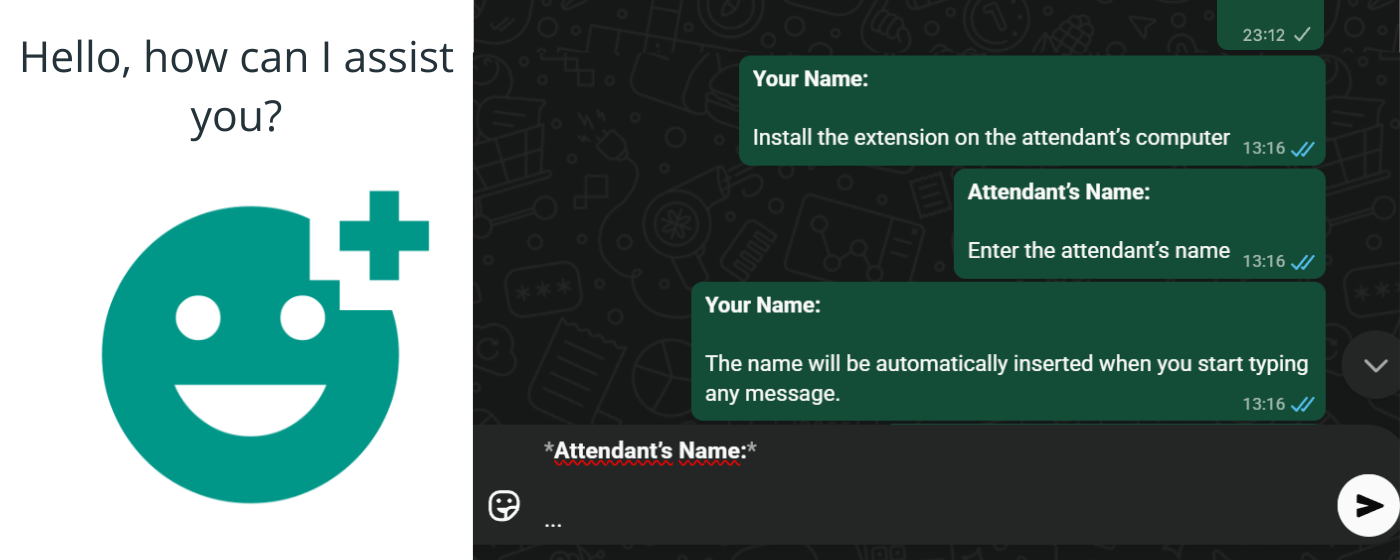
We present a free Google Chrome extension that automatically adds the agent's name to every message.
How it works
Installation is quick and simple:
- Install the extension in each agent's Chrome browser
- Set the agent name that will appear in the messages
- Done! The name will be inserted automatically in all messages
From that point on, every message sent will automatically include the agent identification, making communication more professional and personalized.
How to install
To install the extension, follow these steps:
- On the agent's computer, open the Chrome Web Store
- Click the "Install" button
- Follow the extension installation instructions
Important: The extension must be installed individually in each agent's browser.
Benefits
- Automatic identification of agents
- More professional communication
- Quick and simple installation
- Completely free
- No need for complex configurations
Try it!
Try the extension and share your experience with us! If your business has specific needs, we can develop a custom solution. Get in touch via the email below.
Support
For questions, issues or suggestions, contact us at: [email protected]
Privacy
Your right to privacy is our priority:
- No personal information is collected while using the extension
- Only anonymous usage data is collected to improve the user experience
- We do not share any information with third parties